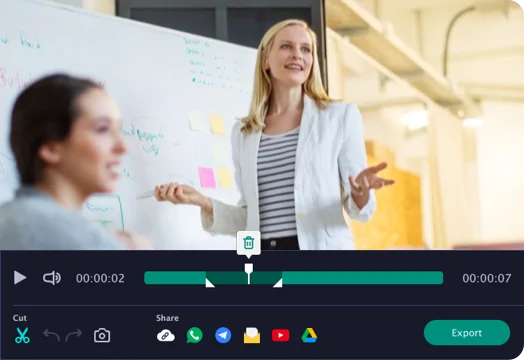
Daily recording limit reached

Want unlimited recording and no watermark?

Need AVI, MOV, MKV, GIF, MP3, or other export formats without a watermark

Free online screen recorder

Watermark

Works in Google Chrome, Mozilla Firefox,
Microsoft Edge, and Opera.

Private recording in your browser

You stay in control of what you share and when recording starts.

  • You choose what to share
  • No login required to start
  • Download your recording when you're done

Your browser will ask for permission before capture starts.

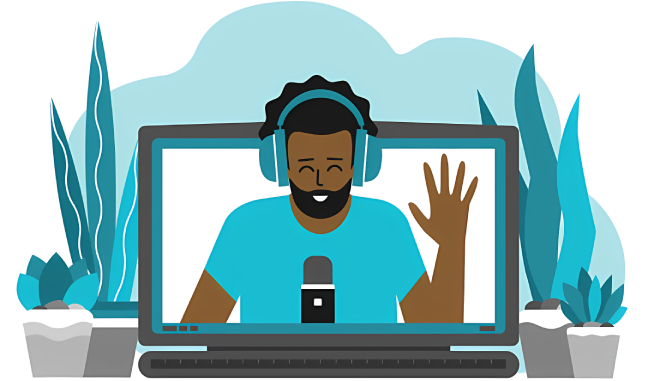
Privacy and control illustration
Free screen recorder with no download
Private screen capture in your browser
Fast HD screen recording and export
Free online screen capture for everyday use

You can also try our desktop screen recorder for advanced capture tools, editing, and export formats.

Get extra screen recording features with the PRO version

When you download the desktop version, you get advanced screen recorder tools in addition to the basic browser recorder:

  • Select the capture area to record only the part of the screen you need
  • Record in multiple modes with full screen, window, or custom capture options
  • Save in more formats including MP4, MOV, WMV, and WebM
  • Add audio and webcam capture for tutorials, demos, and online lessons

Get started with AceThinker screen recording now and unlock advanced tools for tutorials, presentations, and content creation.
How the free online screen recorder works

Choose recording sources illustration

1. Pick what to record

Choose Screen, Microphone, Sound, and Webcam. You can record one or combine them.

Select what to share illustration

2. Select what to share

In the browser window, select a tab, a window, or your full screen.

To record system audio, enable 'Also share system audio' in the browser sharing window.

Stop and download illustration

3. Stop and download

Stop anytime, preview your recording, then download the original file or convert.

Recording features you'll use every day

Screen capture

Record your tab, a window, or the full screen.

Microphone

Add narration with clear mic recording.

System audio

Capture system sound when your browser supports it.

Webcam overlay

Include your camera for tutorials and walkthroughs.

Fast download

Stop recording and download right away.

Permission-based

Your browser asks before capture starts.

Made for tutorials, demos, and everyday work

Tutorials illustration

Tutorials and demos

Record step-by-step walkthroughs for apps, websites, and product features.

Meetings illustration

Meetings and calls

Capture key moments and share recordings with teammates or clients.

Bug reports illustration

Bug reports

Show the exact issue with a short screen recording instead of long text.

Online lessons illustration

Online lessons

Create lessons with voice and webcam to keep students engaged.

Free (Browser) vs Pro (Desktop)

Start free in your browser. Upgrade for more formats and advanced tools.

Feature Free (Browser) Pro (Desktop)
Start instantlyYesYes
Export formatsWebM (and conversions)More formats available
Watermark-free outputLimitedYes
Advanced capture modesBasicMore capture options
Get Pro Screen Recorder

Made by AceThinker (acethinker.ai)

About AceThinker

AceThinker builds tools for screen recording and multimedia productivity on web and desktop.

Explore AceThinker tools
AceThinker tools illustration

Frequently asked questions about online screen recording

Clear answers for permissions, browser sharing, downloads, and recording quality.

Recording tips

For best results, choose the browser tab, window, or screen you need and enable audio sharing in the browser prompt.

Start recording

Ready to record?

Start in your browser in seconds.

Works in Chrome, Edge, Firefox, Opera
Choose what to share
Back to Home

Recording in progress...

00:00:00

Back to Home
Save Recordings in any format - No Watermark

Need AVI, MOV, MKV, GIF, MP3, or other export formats without a watermark